更新中


iPhone スクリーンショット


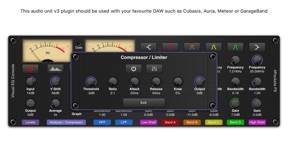
iPad スクリーンショット


説明
This is an AUv3 compatible effect plugin which is intended for use inside your favourite DAW such as Cubasis, Auria, Meteor, AUM or GarageBand etc.
Visual EQ Console is a studio quality multi-band EQ console with the ability to analyse audio in real time giving an accurate and reliable spectrum representation of the frequency response.
It includes your typical set of 4 parametric filters which are stable even when parameters are being changed. We also include low and high shelf as well as low and high pass filters, that's 10 filters in all.
We use a high quality highly hardware optimised FFT to plot the frequency response through the filters so you can see exactly what effect your changes are having on the sound. The scrolling interface automatically adjusts to the hosts window size to allow a double height display in an appropriate DAW.
One of the main problems with most Studio type EQ's is they don't give a true representation of the frequency response, often hiding the inpact of low and high pass / shelf filters on the frequency response. This plugin accurately tracks the response all the way through the audio chain and is backed up by the spectrum analyser so you can be confident that it is having the desired effect.
We also include a Compressor / Limiter section to ensure those settings never get too aggressive.
You can load and save custom console presets as well as copy and paste settngs between instances. This is great if you need to setup multiple instances with the same settings.
Plenty of options are tucked away under the hood so as not to clutter the display.
Main Features:
○ 4 resonant paramettic filters (A-D) .
○ All filters adjustable +/-24dB.
○ High and Low Pass filters.
○ Low and High Shelf Filters.
○ Touch interface with multi-touch for controlling filter Q.
○ Spectrum Analyser with Pre and Post monitoring.
○ Vertical shift and scale options for the spectrum.
○ Create and save custom presets.
○ Copy / Paste presets between instances.
○ Compressor / Limiter with Auto Makup Gain.
○ Twin VU meters
○ Quick Reset options for each section of the console.
バージョン 1.10 の新機能
Fixed an an initialisation issue which when using multiple instances could result in no sound and unresponsive graphs.
情報
販売元
カテゴリ
バージョン
1.10
サイズが
13.8 MB
Game Center
いいえ
VPP Device Licensing
はい
レート
評価: 4+
互換性
iOS 9.3 以降
デバイス
iPhone 4S, iPhone 5, iPhone 5c, iPhone 5s, iPhone 6, iPhone 6 Plus, iPhone 6s, iPhone 6s Plus, iPhone SE, iPhone 7, iPhone 7 Plus, iPhone 8, iPhone 8 Plus, iPhone X, iPhone XR, iPhone XS, iPhone XS Max, iPhone 11, iPhone 11 Pro, iPhone 11 Pro Max, iPhone SE (第 2 世代), iPad 2 (Wi-Fi), iPad 2 (3G), iPad (3rd Generation) (Wi-Fi), iPad (3rd Generation) (4G), iPad(第 4 世代)(Wi-Fi), iPad(第 4 世代)(4G), iPad(第 5 世代) Wi-Fi, iPad(第 5 世代) Wi-Fi + Cellular, iPad(第 6 世代) Wi-Fi, iPad(第 6 世代) Wi-Fi + Cellular, iPad Pro, iPad Pro(Cellular), iPad Pro(9.7インチ), iPad Pro(9.7インチ)(Cellular), iPad Pro 12.9-inch (第 2 世代), iPad Pro 12.9-inch (第 2 世代) Wi-Fi + Cellular, iPad Pro (10.5-inch), iPad Pro (10.5-inch) Wi-Fi + Cellular, iPad Pro (11-inch), iPad Pro (11-inch) Wi-Fi + Cellular, iPad Pro 12.9-inch (第 3 世代), iPad Pro 12.9-inch (第 3 世代) Wi-Fi + Cellular, iPad Air, iPad Air(Cellular), iPad Air 2, iPad Air 2(Cellular), iPad Air(第 3 世代 ), iPad Air(第 3 世代 ) Wi-Fi + Cellular, iPad mini(Wi-Fi), iPad mini(4G), iPad mini Retina, iPad mini Retina(Cellular), iPad mini 3, iPad mini 3(Cellular), iPad mini 4, iPad mini 4(Cellular), iPad mini(第 5 世代), iPad mini(第 5 世代) Wi-Fi + Cellular, iPad(第7世代) Wi-Fi, iPad Pro 11 インチ (第 2 世代), iPad Pro 11 インチ (第 2 世代) Wi-Fi + Cellular, iPad Pro 12.9 インチ (第 4 世代), iPad Pro 12.9 インチ (第 4 世代) Wi-Fi + Cellular, iPad Air4, iPad Air4Cellular, iPad EighthGen, iPad EighthGenCellular, iPod touch(第 5 世代 ), iPod touch(第 6 世代 ), iPod touch(第7世代)
言語
英語
App Store: カスタマー評価
評価とレビュー
0.0/5 (評価がありません)
App Store: カスタマーレビュー
入力なし